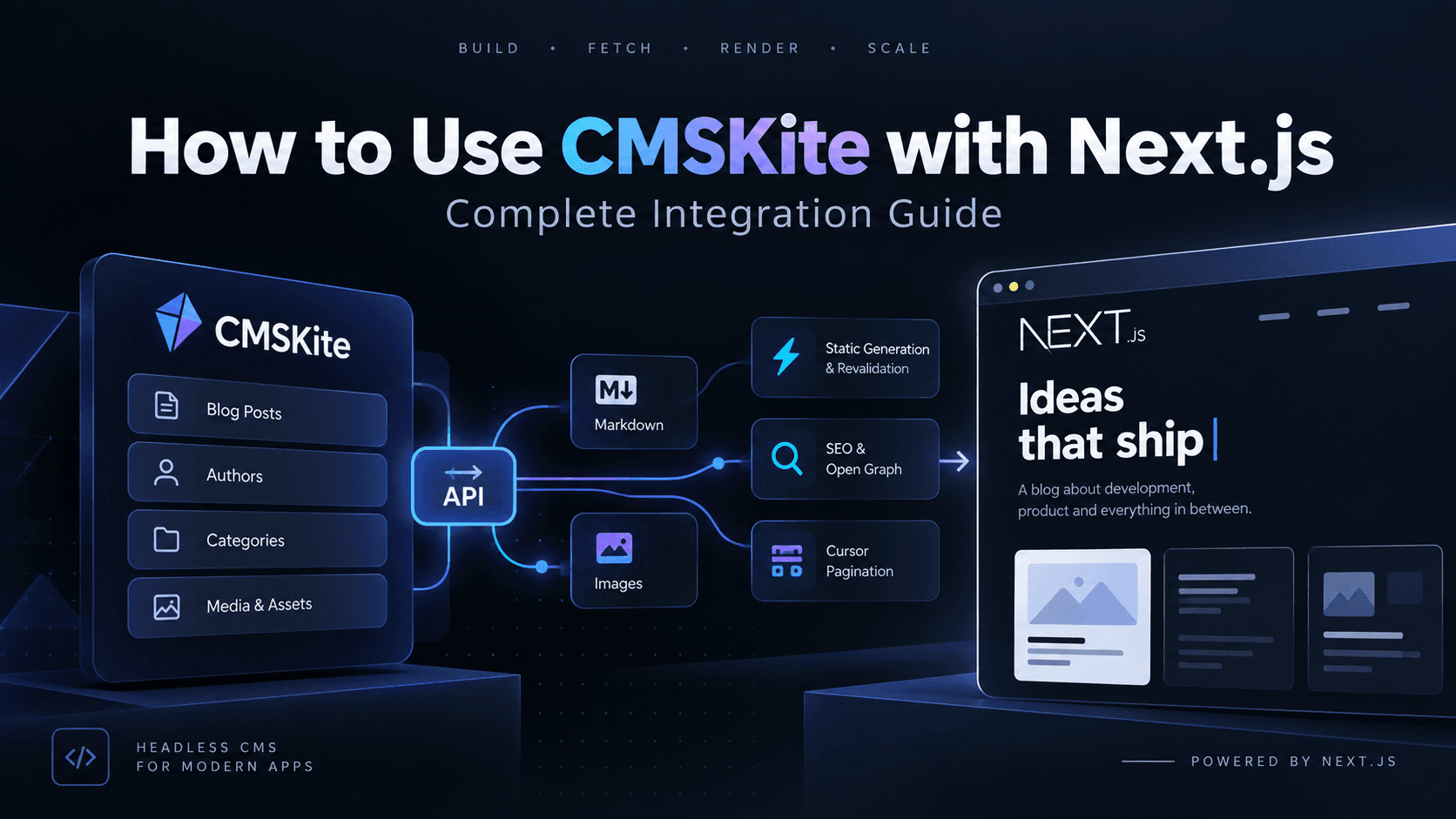
I moved this blog off a hardcoded array of posts and onto CMSKite, a headless blog API, in a single afternoon. This is the whole path, including the parts that cost me time.
The stack is Next.js 16 with the App Router, but nothing here is Next-specific until the last third. If you are on Astro, Nuxt or SvelteKit, the client and the gotchas still apply.
What headless actually buys you
Before CMSKite, every post on this site lived in a TypeScript file. Writing a post meant editing an array, committing, and waiting for a deploy. That is fine for three posts and miserable for thirty.
A headless CMS separates the writing from the rendering. Posts live in a database behind an API, the site fetches them, and publishing no longer needs a git commit. CMSKite does one thing — a blog API with posts, categories, tags, authors and media — which is exactly the scope I wanted. No page builder, no template system, no opinion about my frontend.
Step 1: Get a project and a key
Sign up, and you get a workspace with a default project. A project is one blog: its own posts, its own categories, its own credentials.
You need an API key from the dashboard, under the project's settings. Keys look like this:
csk_live_XXXXXXXXXXXX_<43 more characters>
Two things to understand about that key before you paste it anywhere.
It is read-only. Posts are written in the dashboard, not through an API key. That is a deliberate design choice and a good one — the credential your website holds cannot destroy your content.
It belongs on the server. Not in NEXT_PUBLIC_*, not in a client component, not in a mobile app bundle. CMSKite currently accepts requests from any browser origin, so a leaked key is a key anyone can use.
Put it in .env.local:
CMSKITE_API_URL=https://api.cmskite.com
CMSKITE_API_KEY=csk_live_your_key_here
There is a second credential type — an agent token, cka_live_… — meant for automation and for the cmskite-mcp MCP server, so a coding agent can create and edit content for you. It carries write and delete scopes, so keep it out of your deployed site. If you use one for a bulk import, it also needs an X-Project-Id header, because unlike an API key it is not tied to a single project.
Step 2: The API in five minutes
Everything is https://api.cmskite.com, authenticated with a bearer token:
curl -H "Authorization: Bearer $CMSKITE_API_KEY" \
  "https://api.cmskite.com/v1/blog/posts?limit=5&status=published"
Four things worth knowing up front.
Every response has the same envelope. Success is {"success": true, "data": …, "pagination": …}, failure is {"success": false, "error": {"code", "message", "details"}}, and both carry a requestId. The code is stable and machine-readable, so your client branches on error.code, never on the message text.
Pagination is cursor-based. There is no page or offset parameter. You pass the nextCursor from the previous response:
{"pagination": {"hasNext": true, "nextCursor": "…", "limit": 25}}
This is the right design for a feed that changes under you, but it means you cannot jump to page 7, and there is no total count — if you want "page 1 of 4" you have to fetch everything and count.
Always send status=published. This is the one that will bite you. GET /v1/blog/posts with no status parameter returns your drafts alongside your published posts, and the single-post endpoint returns drafts too. Fetch the list naively and half-written posts go straight to the public web. Pass the filter explicitly, every time.
Read the interactive docs. https://api.cmskite.com/docs renders the full OpenAPI spec, and https://api.cmskite.com/openapi.json is the raw document. Neither is linked from the API root, so bookmark them.
Step 3: Write one small client
Resist the urge to call fetch from your components. One module, one place where the credential lives, one place that translates the API's shape into the shape your UI wants.
// src/lib/cmskite.ts — server-only: never import from a "use client" file
const API_URL = process.env.CMSKITE_API_URL ?? "https://api.cmskite.com";
const API_KEY = process.env.CMSKITE_API_KEY;

interface CmsRef {
  id: string;
  name: string;
  slug: string;
}

interface CmsPost {
  id: string;
  title: string;
  slug: string;
  excerpt: string | null;
  body: string;
  bodyFormat: "markdown" | "html" | "plain";
  author: CmsRef | null;
  category: CmsRef | null;
  tags: CmsRef[];
  featuredMedia: { id: string; url: string } | null;
  publishedAt: string | null;
  updatedAt: string;
  seo?: { title?: string; description?: string; ogImage?: string; keywords?: string[] };
}

/** What the UI renders. Keeps components free of the API's wire shape. */
export interface BlogPost {
  slug: string;
  title: string;
  excerpt: string;
  content: string;
  author: string;
  date: string;
  category: string;
  readTime: string;
  image?: string;
  tags: string[];
}

async function cms<T>(path: string, search?: Record<string, string | number>) {
  if (!API_KEY) throw new Error("CMSKITE_API_KEY is not set");

  const url = new URL(path, API_URL);
  for (const [key, value] of Object.entries(search ?? {})) {
    url.searchParams.set(key, String(value));
  }

  const res = await fetch(url, {
    headers: { Authorization: `Bearer ${API_KEY}` },
    next: { revalidate: 300 },
  });

  const json = await res.json();

  if (!json.success) {
    const { code, message } = json.error ?? {};
    throw new Error(`CMSKite ${path}: ${code} ${message} (requestId ${json.requestId})`);
  }

  return json as { data: T; pagination?: { nextCursor: string | null } };
}
Two decisions in there are worth copying.
The BlogPost view type is not the API's post. Your components should not know that category is an object with three fields, or that excerpt can be null. Map once, at the boundary, and the rest of your app stays clean if the API changes.
The error message carries the requestId. When something fails in production, that id is what turns a support conversation into a two-minute lookup.
Now the mapper and the two reads:
/** ~200 words per minute. CMSKite does not store a reading time. */
function readTime(body: string) {
  const words = body.trim().split(/\s+/).filter(Boolean).length;
  return `${Math.max(1, Math.ceil(words / 200))} min read`;
}

function toBlogPost(post: CmsPost): BlogPost {
  return {
    slug: post.slug,
    title: post.title,
    excerpt: post.excerpt ?? "",
    content: post.body,
    author: post.author?.name ?? "Unknown",
    date: (post.publishedAt ?? post.updatedAt).slice(0, 10),
    category: post.category?.name ?? "Uncategorized",
    readTime: readTime(post.body),
    image: post.featuredMedia?.url ?? post.seo?.ogImage,
    tags: post.tags.map((tag) => tag.name),
  };
}

export async function getBlogPosts(limit?: number): Promise<BlogPost[]> {
  const posts: BlogPost[] = [];
  let cursor: string | null = null;

  do {
    const page: Awaited<ReturnType<typeof cms<CmsPost[]>>> = await cms<CmsPost[]>(
      "/v1/blog/posts",
      {
        status: "published",
        sort: "-publishedAt",
        limit: Math.min(limit ?? 100, 100),
        ...(cursor ? { cursor } : {}),
      }
    );

    posts.push(...page.data.map(toBlogPost));
    cursor = page.pagination?.nextCursor ?? null;
  } while (cursor && (limit === undefined || posts.length < limit));

  return limit ? posts.slice(0, limit) : posts;
}

export async function getBlogPost(slug: string): Promise<BlogPost | null> {
  try {
    const { data } = await cms<CmsPost>(`/v1/blog/posts/slug/${encodeURIComponent(slug)}`);
    return data.publishedAt ? toBlogPost(data) : null;
  } catch (error) {
    if (error instanceof Error && error.message.includes("NOT_FOUND")) return null;
    throw error;
  }
}
Note the belt-and-braces check in getBlogPost: even with the right status filter, I verify publishedAt before returning a post. Two lines, and an unpublished draft can never reach a reader.
Step 4: The list page
With the client in place, the page is almost boring — which is the point.
// src/app/blog/page.tsx
import { getBlogPosts } from "@/lib/cmskite";
import BlogClient from "./client";

export const revalidate = 300;

export default async function BlogPage() {
  const posts = await getBlogPosts();
  return <BlogClient posts={posts} />;
}
The server component fetches; a client component handles search and filtering in the browser. For a blog of any reasonable size, shipping the whole list once and filtering client-side beats a network round trip per keystroke.
Add an error.tsx beside it. If the API is unreachable, a reader should see "articles are unavailable, try again" rather than a stack trace.
Step 5: The post page
// src/app/blog/[slug]/page.tsx
export const revalidate = 300;

export async function generateStaticParams() {
  const posts = await getBlogPosts();
  return posts.map((post) => ({ slug: post.slug }));
}

export default async function BlogPostPage({ params }) {
  const { slug } = await params;
  const post = await getBlogPost(slug);
  if (!post) return notFound();
  // …
}
generateStaticParams prerenders every post at build time, so readers get static HTML and the API is not touched on a cache hit.
Bodies come back as markdown by default, so you need a renderer. I use marked, on the server, with a custom renderer that adds heading ids for a table of contents and turns images into captioned figures:
import { Marked } from "marked";

const marked = new Marked();
marked.use({
  renderer: {
    heading({ tokens, depth }) {
      const text = this.parser.parseInline(tokens);
      const id = text.replace(/<[^>]*>/g, "").toLowerCase().replace(/[^a-z0-9]+/g, "-");
      return `<h${depth} id="${id}">${text}</h${depth}>`;
    },
  },
});

const html = marked.parse(post.content, { async: false });
One thing to check before you style it: if your project uses Tailwind without the typography plugin, prose classes do nothing. Preflight strips heading sizes and list bullets, so your beautifully written article renders as one flat grey block. Either install the plugin or write about forty lines of scoped CSS for the article body.
Step 6: Images
Posts have a featuredMedia field, and there is a full upload flow: create a media record with a SHA-256 checksum, PUT the file to the returned URL, then confirm with /complete.
On the free plan that flow returns:
{"code": "ENTITLEMENT_REQUIRED",
 "message": "Your plan does not include \"Media upload and hosting.\"",
 "details": {"capability": "blog.media.enabled", "currentPlans": ["blog_free"]}}
So on a free project, featuredMedia is always null. Three ways around it, in the order I would try them:
- Point the post's SEO image field at any image URL. That is what my mapper falls back to (
post.seo?.ogImage). It costs nothing, and it doubles as your Open Graph image. - Put images in the body as ordinary markdown.
works today, from any host. If you render alt text as a caption, one piece of text does two jobs. - Generate a cover. Every post on this blog without an image gets a CSS texture derived from a hash of its slug — four patterns, deterministic, zero assets. An archive with no stock photography still looks intentional.
If you render remote images with next/image, allow the host:
// next.config.ts
images: {
  remotePatterns: [{ protocol: "https", hostname: "**" }],
}
Narrow that hostname to the domains you actually use before you ship.
Step 7: SEO
Posts carry a seo object — title, description, ogImage, canonicalUrl, keywords, noIndex — so let the CMS drive your metadata and fall back to the post's own fields:
export async function generateMetadata({ params }) {
  const { slug } = await params;
  const post = await getBlogPost(slug);
  if (!post) return { title: "Post Not Found" };

  return {
    title: post.seo?.title ?? post.title,
    description: post.seo?.description ?? post.excerpt,
    alternates: { canonical: post.seo?.canonicalUrl ?? `/blog/${slug}` },
    openGraph: { type: "article", publishedTime: post.date, authors: [post.author] },
  };
}
Make your sitemap async and fold the posts in, so new articles get discovered without a code change:
export default async function sitemap(): Promise<MetadataRoute.Sitemap> {
  const posts = await getBlogPosts().catch(() => []);
  return [
    { url: `${baseUrl}/blog`, changeFrequency: "weekly", priority: 0.8 },
    ...posts.map((post) => ({
      url: `${baseUrl}/blog/${post.slug}`,
      lastModified: new Date(post.date),
      priority: 0.6,
    })),
  ];
}
That .catch(() => []) matters. A CMS outage should cost you a stale sitemap, not a failed build.
For posts without a featured image, Next.js can generate share cards at request time with opengraph-image.tsx and next/og. Title, category and reading time on a dark plate takes about forty lines and no dependencies.
The gotchas, collected
Everything that cost me more than five minutes, in one list.
Drafts are public by default. Covered above, and worth repeating because the failure is silent. Always status=published, and check publishedAt before you render.
Query parameters fail quietly. Request bodies reject unknown fields; query strings ignore them. ?statuss=published returns 200 and the wrong data. Typo a filter name and everything looks like it worked.
There are no cache validators. No ETag, no Last-Modified, no Cache-Control on reads. Every revalidation re-downloads the full post list including every body — and list responses always include the complete body, with no way to ask for just the fields you need. Budget for it: set revalidate generously, and fetch the list once per page rather than once per component.
There are no webhooks. Nothing calls your site when a post is published, so on-demand revalidation is off the table. Time-based revalidation is the only option, and your authors will wait out the window before seeing their work. I use 300 seconds.
Slugs are de-duplicated silently. Create a post whose slug is taken and you get my-post-2 back with a 200, not a conflict. If you are importing content in bulk, read the slug from the response rather than assuming the one you sent.
Renaming a slug breaks links. There is no slug history and no redirect support, so pick URLs you can live with.
Reading time is yours to compute. No wordCount, no readingMinutes. Whatever formula you pick, put it in one function so the number is the same everywhere on your site.
Migrating existing posts
If you already have posts in code, the import is a short script: POST /v1/blog/authors, then POST /v1/blog/categories, then one POST /v1/blog/posts per post with status: "published", a back-dated publishedAt, and tags as an array of plain strings, which are created for you.
Send an Idempotency-Key header on each create. It is not in the docs, but it works: a repeated call with the same key returns the original post instead of a duplicate. That turns "the script died halfway through" from a cleanup job into a re-run.
Once the content is in CMSKite, delete the local array. Two sources of truth is worse than either one.
Was it worth it?
Yes, with clear eyes about what it is. CMSKite is early — the missing webhooks and cache headers are real constraints, and the draft-visibility default is a trap. But the error handling is better than most mature APIs I have integrated: a stable error code, a request id on every response, and validation messages that name the exact field. The audit log records who changed what and when, queryable over the API. Cursor pagination is the correct choice and they committed to it.
For a blog that publishes a few times a month and is rendered statically, it does the job, and the client to talk to it is about 150 lines. If your publishing cadence is hourly, or you need on-demand invalidation, wait for webhooks.
Either way, put the credential on the server, always pass status=published, and let the CMS own the content while your code owns the rendering.