Why I Built CMSKite: A Better Headless CMS for Developers
Most developers do not actually need another website builder. They need a reliable place to manage content while keeping complete control over the website, codebase, performance, and user experience.
That gap is one of the reasons I built CMSKite.
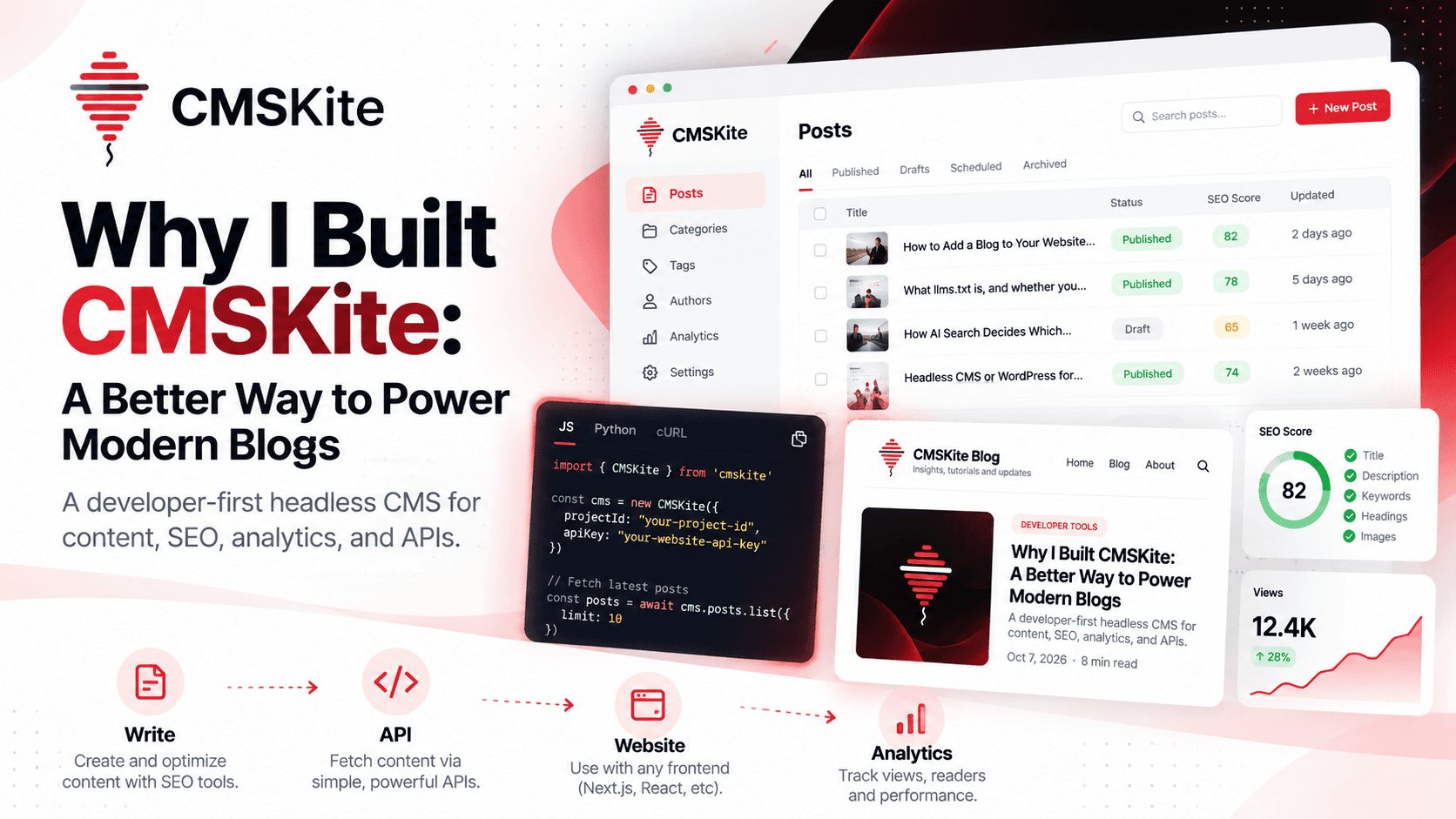
CMSKite is a developer-first headless CMS designed for modern blogs and content-driven websites. The idea is simple: write and manage content in one place, then deliver that content through an API to whatever frontend you are already building.
The problem with traditional blogging setups
When you build a modern website, the blog can quickly become more complicated than it needs to be.
You may already have a Next.js, React, Astro, or custom application. Then you need an admin panel, post editor, categories, tags, authors, SEO metadata, publishing workflows, images, and analytics.
The common solution is to add a traditional CMS or WordPress installation.
That can work, but it also means introducing another system that may control more of your stack than you actually want. You may end up dealing with themes, plugins, hosting, updates, security patches, database maintenance, and a frontend that does not match the architecture of your application.
I wanted a different approach.
What is a headless CMS for developers?
A headless CMS for developers separates content management from presentation.
The CMS handles things like:
- Creating and editing posts
- Drafts and publishing
- Categories and tags
- Authors
- SEO metadata
- Content organization
- Analytics
Your application handles the website.
Instead of forcing your frontend to live inside the CMS, you fetch content through an API and render it using the technology you already use.
For example, a Next.js application can request published posts from CMSKite and render them using its own layouts, components, routing, caching, and deployment strategy.
This separation gives developers much more control.
Why I built CMSKite
I wanted CMSKite to solve a very specific problem:
Give developers the content infrastructure they need without forcing them to rebuild their website around a CMS.
That led to a few principles.
1. Your frontend should stay yours
Your website should not have to follow a CMS theme.
If you use Next.js, React, React Native, Astro, or another framework, you should be able to keep your existing architecture and simply consume content through an API.
CMSKite manages the content layer. Your application owns the presentation layer.
2. Blogging should be API-first
A modern website should be able to retrieve content programmatically.
With an API-first approach, the same content can power a website, documentation section, mobile application, search experience, internal tools, or other applications.
That also makes deployment simpler because the content system and frontend can evolve independently.
3. SEO should be part of the content workflow
Publishing a blog post is not only about writing paragraphs.
A good publishing workflow also needs search titles, meta descriptions, keywords, canonical URLs, structured headings, readable content, and other technical SEO considerations.
CMSKite treats SEO as part of the content workflow rather than something developers have to remember after publishing.
4. Analytics should live close to the content
Once a post is published, the next question is obvious:
Is anyone actually reading it?
That is why content analytics is an important part of the platform.
You should be able to understand which posts receive views, which content attracts readers, and how your content performs over time.
The goal is not simply to publish more articles. The goal is to learn what is working and improve the content strategy.
CMSKite is built for modern web stacks
One of the main use cases is a developer building a website with a framework such as Next.js.
The workflow looks like this:
Create content → Optimize SEO → Publish → Fetch through API → Render on your website → Measure performance
The CMS handles the content operations while the application remains responsible for the actual website experience.
I also built an official SDK approach so developers do not have to manually construct every API request when integrating CMSKite into their applications.
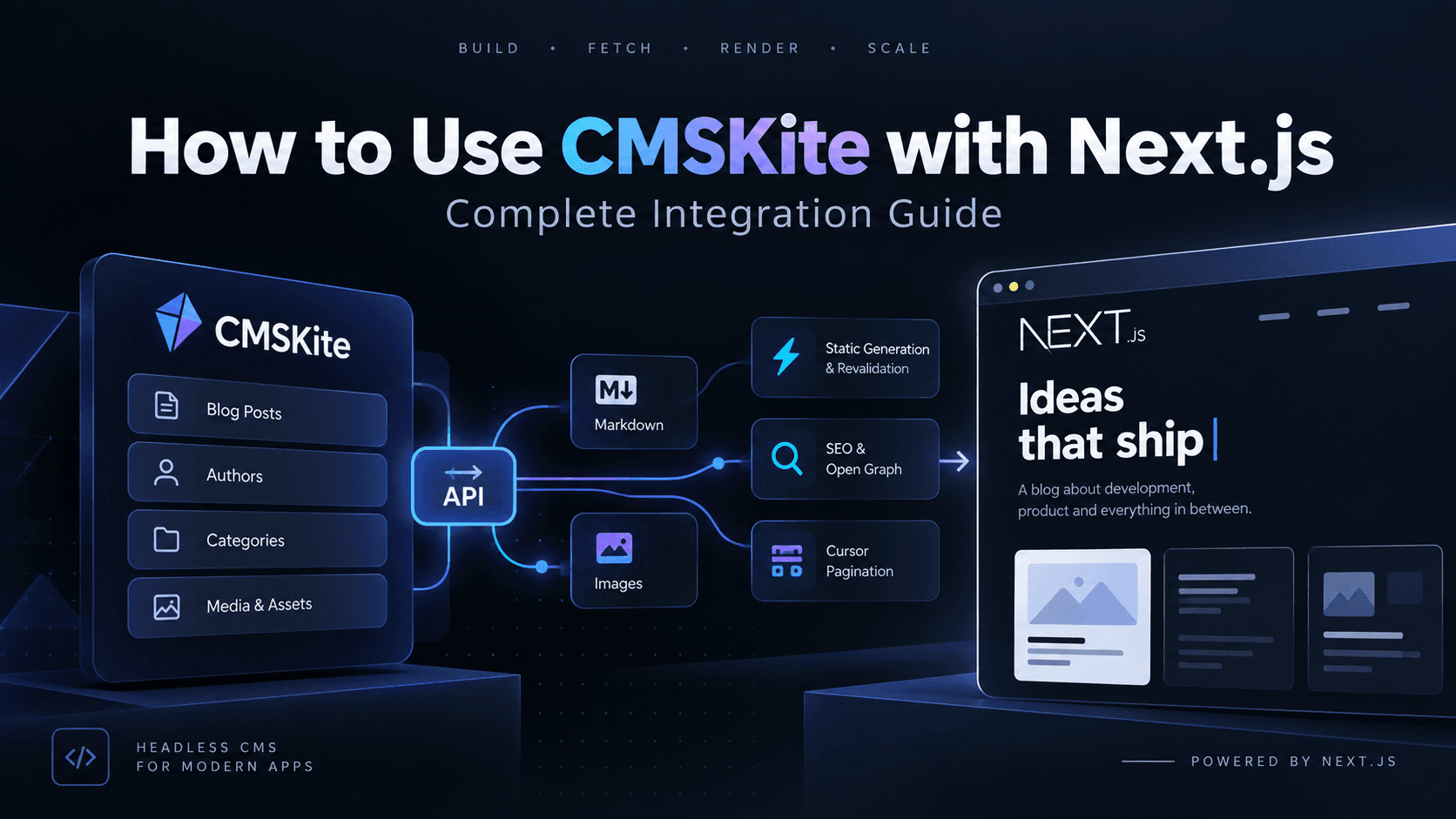
If you want to see the implementation side, I have already written a detailed guide on using CMSKite with Next.js.
Why not just use WordPress?
WordPress is a powerful platform and it is still a great choice for many websites.
But CMSKite is not trying to recreate WordPress.
The difference is the architecture.
WordPress traditionally combines content management and website presentation into one ecosystem. A headless CMS separates those responsibilities.
If you want a complete website builder with themes and plugins, WordPress may be the better fit.
If you already have a modern application and simply want a clean content backend, a headless CMS can be a better fit.
CMSKite is designed specifically for that second use case.
The bigger idea behind CMSKite
The interesting part is that content infrastructure does not have to stop at a dashboard.
As AI becomes part of the development and content workflow, content systems need to become easier for both humans and software agents to work with.
That is why I am also building CMSKite around APIs and AI-friendly workflows.
A developer should be able to manage content manually from the dashboard, while an automated workflow or AI agent can work with the same underlying content infrastructure when appropriate.
That opens the door to workflows such as:
- Generating content briefs
- Preparing SEO metadata
- Updating existing articles
- Finding content opportunities
- Managing publishing workflows
- Analyzing content performance
- Connecting content operations to development workflows
The important part is that automation should work with the same structured content rather than creating another disconnected system.
When should you use a headless CMS?
A headless CMS makes sense when:
- You already have a custom frontend.
- You want full control over your website UI.
- You care about performance and modern frameworks.
- You want content delivered through APIs.
- You need structured blog content.
- You want SEO and analytics in the content workflow.
- You want the freedom to change frontend technologies later.
It may be unnecessary if you simply want a basic website where the CMS and frontend are tightly coupled.
The right tool depends on the problem you are solving.
Where CMSKite is going
CMSKite started from a simple idea: developers should not have to build an entire CMS just to have a great blog.
But the long-term vision is bigger than a blog editor.
I want CMSKite to become a complete content infrastructure layer for developers — combining content management, APIs, SEO, analytics, integrations, and AI-ready workflows in one focused platform.
The frontend remains yours.
The code remains yours.
The content becomes structured, reusable, and accessible wherever you need it.
That is the problem CMSKite is being built to solve.
Final thoughts
Building CMSKite has changed the way I think about content systems.
A CMS does not need to control the website. It does not need to become the website.
It can simply do one thing extremely well: manage content and make that content available to the applications that need it.
That is the philosophy behind CMSKite, and it is the direction I am continuing to build toward.
If you are building a modern website and need a headless CMS for developers, CMSKite is built for exactly that use case.